
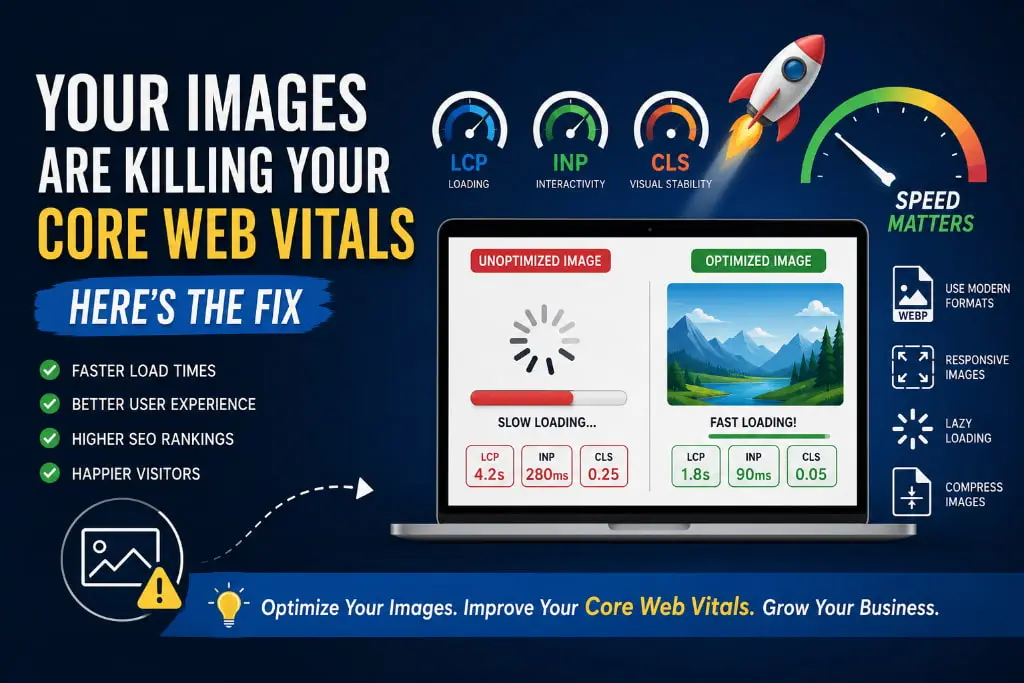
Have you ever visited a website that takes forever to load because of large images? Chances are, you didn’t stay for long. Most users expect a website to load within a few seconds, and if it doesn’t, they leave. What many website owners don’t realize is that oversized and unoptimized images are often the biggest reason behind slow-loading websites.
If your website is struggling with performance, poor user experience, or low search engine rankings, your images might be silently damaging your Core Web Vitals.
Let’s understand why this happens and, more importantly, how to fix it.
What Are Core Web Vitals?
Core Web Vitals are a set of performance metrics introduced by Google to measure the real-world experience of users on a website. These metrics directly impact user satisfaction and can also influence your search rankings.
The three main Core Web Vitals are:
1. Largest Contentful Paint (LCP)
Measures how quickly the main content of a page loads. Ideally, it should occur within 2.5 seconds.
2. Interaction to Next Paint (INP)
Measures how responsive your website is when users interact with it.
3. Cumulative Layout Shift (CLS)
Measures visual stability. If elements move unexpectedly while a page is loading, your CLS score suffers.
Images play a major role in all three metrics. Poorly optimized images can slow down loading times, delay user interactions, and cause layout shifts.
How Images Hurt Website Performance
Large File Sizes
Modern smartphone cameras and design tools often produce high-resolution images that can be several megabytes in size. Uploading these images directly to your website forces browsers to download massive files before displaying content.
As a result:
- Pages load slower
- Users get frustrated
- Bounce rates increase
- SEO performance declines
Incorrect Image Dimensions
Many websites display images at smaller sizes while loading much larger versions in the background.
For example, displaying a 400px image using a 4000px file wastes bandwidth and increases loading time unnecessarily.
Too Many Images on One Page
While visuals are important, excessive images can overwhelm the browser and server. Product pages, portfolios, and blogs often suffer from this issue.
The more files users need to download, the slower the experience becomes.
Missing Width and Height Attributes
When browsers don’t know the dimensions of an image before it loads, page elements can suddenly shift around.
This creates a poor user experience and negatively impacts your CLS score.
Signs That Your Images Need Optimization
Your website may have image-related performance issues if:
- Pages take more than 3 seconds to load
- Mobile performance scores are low
- Visitors leave quickly after arriving
- Images appear blurry or oversized
- Content shifts while loading
- Your Core Web Vitals report shows poor LCP or CLS scores
If any of these problems sound familiar, it’s time to optimize your images.
The Fix: Image Optimization Best Practices
Compress Images Before Uploading
Compression reduces file size without significantly affecting visual quality.
A compressed image can often be 60-80% smaller while looking almost identical to users.
Smaller files mean faster loading times and happier visitors.
Use Modern Image Formats
Traditional formats like JPG and PNG are still common, but newer formats offer much better compression.
Recommended formats include:
- WebP
- AVIF
These formats maintain excellent image quality while dramatically reducing file sizes.
Implement Lazy Loading
Lazy loading ensures images only load when users scroll near them.
Instead of downloading every image at once, the browser loads content as needed.
Benefits include:
- Faster initial page load
- Reduced bandwidth usage
- Better user experience
Serve Responsive Images
Different devices require different image sizes.
A mobile phone doesn’t need the same image dimensions as a large desktop monitor.
Responsive images allow browsers to download the most appropriate version for each device, improving performance across all screen sizes.
Define Image Dimensions
Always specify width and height attributes for images.
This helps browsers reserve the correct amount of space before the image loads, preventing layout shifts and improving CLS scores.
Use a Content Delivery Network (CDN)
A CDN stores and serves images from servers located closer to your visitors.
This reduces loading times and improves website speed globally.
Why Faster Websites Win
Optimized images do more than improve technical scores.
They help:
- Increase user engagement
- Improve conversion rates
- Reduce bounce rates
- Enhance mobile experiences
- Improve search engine visibility
- Build trust with visitors
A faster website creates a smoother experience, and users are more likely to stay, browse, and take action.
Final Thoughts
Images are essential for creating attractive and engaging websites, but they should never come at the cost of performance. Large, unoptimized images can significantly damage your Core Web Vitals, leading to slower pages, frustrated users, and missed business opportunities.
The good news is that image optimization is one of the easiest and most effective ways to improve website performance. By compressing images, using modern formats, implementing lazy loading, and serving responsive images, you can dramatically improve loading speeds and user experience.
Need Help Optimizing Your Website?
At Atina Technology, we specialize in front-end development, website performance optimization, responsive web design, and modern user experiences. Whether you’re looking to improve Core Web Vitals, increase website speed, or build a high-performing website from scratch, our team is here to help.
Visit Atina Technology and get in touch with our experts today. Together, let’s create a faster, smarter, and more engaging website that delivers exceptional results for your business.