Imagine finishing hours of repetitive business tasks in minutes. Customer emails are answered automatically, reports are generated without manual effort, and your team spends more time growing the business instead of managing routine work. Sounds exciting, right?
This is becoming possible with Artificial Intelligence (AI) and business workflow automation.
Today, businesses of all sizes are using AI to simplify daily operations, reduce human errors, and improve productivity. But how does AI workflow automation actually work, and how can your business benefit from it? Let’s explore.
What Is AI Workflow Automation?
AI workflow automation uses Artificial Intelligence to perform repetitive tasks, analyze information, and make certain decisions with minimal human intervention.
Traditional automation follows predefined rules, while AI-powered automation can also understand text, recognize patterns, summarize information, and generate useful responses.
For example, a traditional system might send an automatic email when someone fills out a form. An AI-powered system can analyze the customer’s message, identify their requirements, draft a personalized response, and forward the inquiry to the appropriate department.
This makes everyday business processes faster, smarter, and more efficient.
Why Are Businesses Adopting AI Automation?
Managing a business involves several repetitive activities, from responding to customer inquiries to preparing reports. When these tasks consume too much time, employees have fewer opportunities to focus on important work.
Here is how AI can help:
- Save time: Automate repetitive tasks and reduce manual effort.
- Improve accuracy: Minimize common human errors in data entry and information processing.
- Enhance customer experience: Provide faster responses and personalized communication.
- Reduce operational costs: Use employee time and business resources more efficiently.
- Support better decisions: Analyze business data and identify useful patterns.
However, automation works best when businesses choose the right processes and maintain appropriate human oversight.
5 Business Workflows You Can Automate Using AI
Wondering where to start? Here are five practical ways to introduce AI into your business operations.
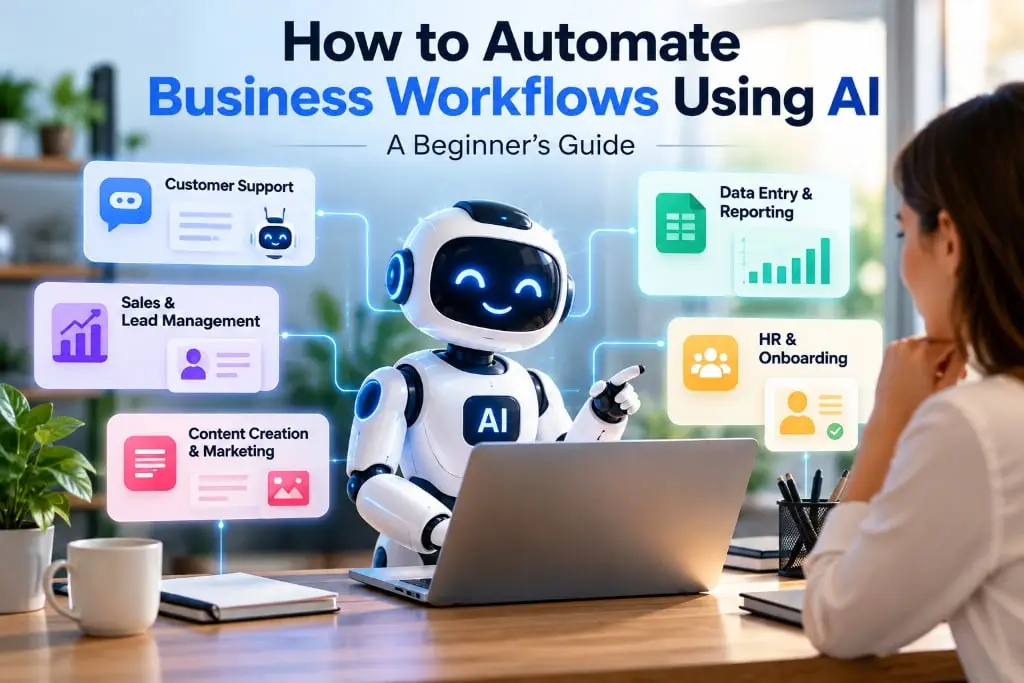
1. Customer Support and Email Management
Customer support teams often receive similar questions about pricing, services, orders, and delivery times.
AI chatbots can answer frequently asked questions, categorize incoming messages, and direct complex queries to the right team. AI tools can also summarize long email conversations and draft responses for employees to review.
For example, an IT company can use an AI assistant to answer basic service questions while its support team handles technical issues.
2. Lead Generation and Sales Follow-Ups
Following up with every potential customer can become challenging, especially when a business receives multiple inquiries daily.
AI automation can help categorize leads based on their requirements, summarize sales conversations, update CRM records, and remind sales representatives when follow-ups are due.
Imagine a customer submitting a website development inquiry. An automated workflow can capture the details, identify the service requested, assign the lead to a sales representative, and schedule a follow-up reminder.
This helps businesses manage inquiries more consistently without losing track of potential opportunities.
3. Content Creation and Digital Marketing
Marketing teams regularly create blogs, social media captions, email campaigns, and promotional content.
Generative AI can assist with brainstorming ideas, drafting content, summarizing research, and adapting messages for different platforms.
Some of the best generative AI tools, depending on your requirements, include ChatGPT for writing and brainstorming, Claude for drafting and analysis, Google Gemini for research and productivity tasks, and Canva’s AI features for creative workflows.
Businesses can combine these tools with approved automation platforms to organize content requests, prepare drafts, and notify team members when content is ready for review.
Remember, AI-generated content should be fact-checked, edited, and reviewed for brand consistency before publication.
4. Data Entry and Report Generation
Employees often spend hours collecting information from spreadsheets, emails, invoices, and business applications.
AI can extract relevant information from documents, organize unstructured data, summarize performance reports, and highlight unusual patterns.
For example, a company can automate the collection of weekly sales figures and generate a summary showing its best-performing products and changing sales trends.
This allows managers to spend less time preparing reports and more time understanding the results.
5. HR and Employee Onboarding
Hiring and onboarding involve several administrative activities, including answering employee questions, collecting documents, and sharing company policies.
AI-powered workflows can help organize onboarding documents, answer common policy questions using approved internal information, and send reminders about pending tasks.
Human review remains essential for sensitive employee information and decisions involving hiring, performance, or employment eligibility.
How to Automate Your Business Workflows Using AI
Getting started does not require automating every department at once. Follow these five steps.
Step 1: Identify repetitive tasks. Find activities that consume significant time, such as email management, data entry, lead assignment, or report preparation.
Step 2: Choose the right AI tools. Select tools based on your business needs, budget, existing software, and data security requirements.
Step 3: Map your workflow. Define what triggers the process, what information the AI needs, what action it should perform, and when a human must review the result.
Step 4: Test with a small project. Start with one workflow, measure its performance, and identify errors before expanding automation.
Step 5: Monitor and improve. Track time saved, response speed, error rates, and customer satisfaction. Update the workflow as your business needs change.
Challenges to Consider Before Implementing AI
Although AI offers many benefits, successful implementation requires careful planning.
Poor-quality data can produce inaccurate results. Connecting different software systems may require technical expertise. Businesses must also protect sensitive information and control which systems AI can access.
Start with low-risk tasks, use reliable data, establish clear permissions, and keep human approval for important decisions. These precautions help make automation more dependable.
The Future of Business Workflow Automation
AI is moving beyond simple chatbots toward systems that can coordinate multiple tasks, interact with business applications, and support more complex workflows.
As these capabilities develop, businesses will have more opportunities to streamline operations, improve customer experiences, and scale their services.
The real advantage does not come from using AI everywhere. It comes from identifying the right problems and applying the right technology to solve them.
Conclusion
AI workflow automation is no longer just an option for large enterprises. Small businesses, startups, and established companies can all use Artificial Intelligence to reduce repetitive work and improve efficiency.
Whether you want to automate customer support, simplify sales follow-ups, or build intelligent business applications, the first step is understanding your workflow and choosing a solution that fits your goals.
At Atina Technology, we are experts in AI development, helping businesses build intelligent, customized AI solutions that automate workflows, improve productivity, and support business growth.