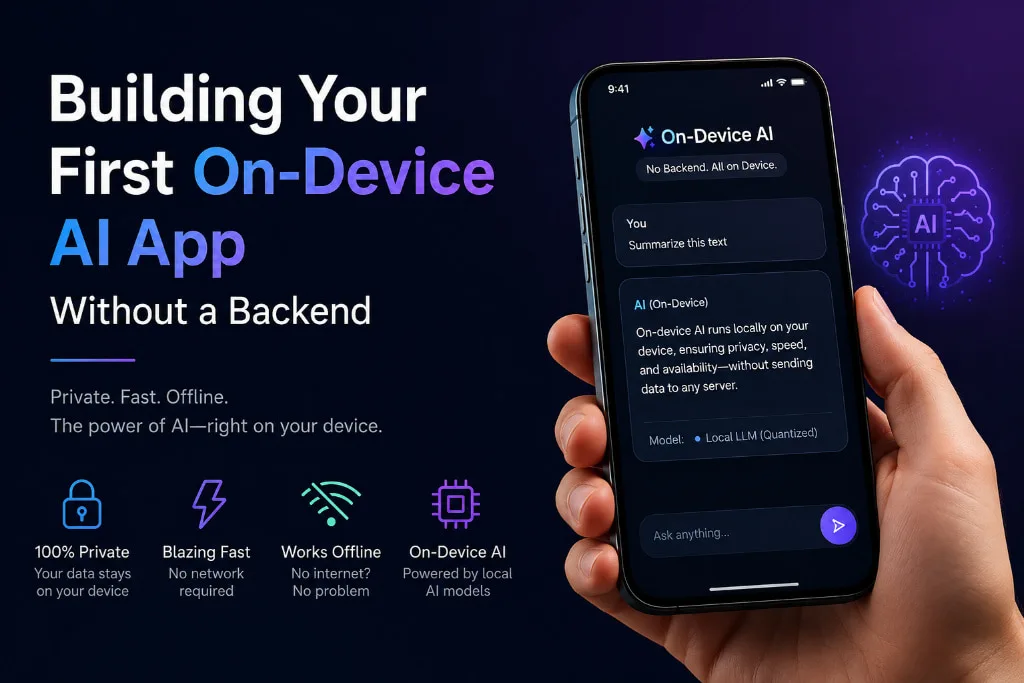
CoreML, TFLite, and ONNX — how to ship smart features with zero server costs and complete user privacy.
Artificial intelligence is no longer a privilege reserved for apps with massive cloud infrastructure. In 2025, you can build a mobile app that recognizes images, understands voice commands, or generates personalized recommendations — all entirely on the user’s device, with no backend server, no API bill, and no latency waiting for a round trip to the cloud.
This guide walks you through exactly how to do it — and why on-device AI might be the smartest architectural decision you make in your next mobile app development project.
Why On-Device AI Changes Everything
Traditional AI-powered mobile apps work by sending user data to a cloud server, processing it there, and sending results back. This model has hidden costs: you pay per API call, users need internet access, and every piece of data you transmit raises privacy concerns.
On-device AI flips this entirely. The model lives inside the mobile app itself. Processing happens locally on the phone’s CPU, GPU, or dedicated Neural Processing Unit (NPU). The result? Instant inference, offline capability, and no data ever leaving the device.
| Key advantage: On-device AI processes data locally — nothing is sent to external servers. This makes your mobile app inherently more private, faster, and cost-effective at scale compared to cloud-dependent alternatives. |
Choosing the Right Framework
The three dominant on-device AI frameworks for mobile app development each have a distinct sweet spot:
| Framework | Best For |
| CoreML | Apple’s native framework. Best performance on iPhone/iPad. Integrates with Vision, NLP, and Sound out of the box. |
| TensorFlow Lite | Google’s cross-platform runtime. Runs on Android & iOS. Huge model library and hardware delegate support. |
| ONNX Runtime | Open standard format. Run models trained in PyTorch or Scikit-learn on any mobile platform without conversion hassle. |
For iOS mobile app development, CoreML is the default choice — it natively accelerates models on Apple Silicon chips. For cross-platform Android and iOS apps, TFLite or ONNX Runtime give you more flexibility.
How to Build Your First On-Device AI Feature
| 1 | Pick a pre-trained model
Don’t train from scratch. Use models from TensorFlow Hub, Hugging Face, or Apple’s CoreML gallery. MobileNet, EfficientNet, and DistilBERT are all optimized for mobile hardware. |
| 2 | Convert and quantize
Reduce the model to INT8 or FP16 precision. A 50MB model can shrink to under 10MB — critical for keeping your mobile app’s download size reasonable. |
| 3 | Bundle the model with your app
Drop the .mlmodel, .tflite, or .onnx file into your project assets. The model loads at runtime without any network call. |
| 4 | Run inference on your use case
Feed in camera frames, audio buffers, or text tokens. Get predictions back in milliseconds — entirely offline. |
| 5 | Optimize for device hardware
Enable hardware delegates — GPU delegate on Android, ANE (Apple Neural Engine) on iOS — to multiply inference speed by 3–10x. |
What You Can Build Today
The scope of on-device AI in mobile app development is wider than most developers realize. Real-time object detection works smoothly at 30fps on mid-range phones. On-device speech transcription runs accurately without any internet connection. Sentiment analysis, text classification, and smart autocomplete all fit comfortably within a mobile app bundle under 20MB. Even image generation — once exclusively a cloud task — now runs on flagship devices using quantized diffusion models.
The defining constraint is no longer capability — it’s choosing the right model size for your target hardware. A well-quantized 8MB model often outperforms a bloated 200MB model in both speed and user experience.
The Trade-offs You Should Know
On-device AI is not a silver bullet. Larger, more complex AI tasks — like training, fine-tuning, or running frontier language models — still belong in the cloud. Model updates require pushing a new app version unless you implement dynamic model downloading. And supporting the full range of Android device hardware (from budget phones to flagships) requires thorough testing across GPU delegates and fallback modes.
The sweet spot for on-device AI is inference of well-scoped tasks: classify this image, transcribe this sentence, predict this gesture. Keep the model focused, keep it small, and your mobile app will feel genuinely magical.
| Atina Technology — Expert in Mobile App Development
Atina Technology is an expert in mobile app development, helping businesses build intelligent, high-performance apps with cutting-edge on-device AI, CoreML, and TFLite integrations. From concept to App Store, Atina’s team brings the technical depth to make your next AI-powered mobile app a reality — with zero compromise on speed, privacy, or user experience. Partner with Atina Technology → |
Start Small, Ship Fast
The best way to begin is with a single, focused AI feature — a real-time label on a camera feed, an offline voice command, a smart text suggestion. Bundle a pre-trained MobileNet or DistilBERT, wire it to your UI, and ship it. Once you’ve seen on-device inference running at 30fps on a user’s phone, you’ll never want to go back to waiting on API responses.
On-device AI is not the future of mobile app development — it’s the present. The tools are mature, the models are small, and the user experience advantage is undeniable. Build something smart. Build it local.